All work

Client project · custom build

CAP Service Pro

Website for a repair company in Toronto

Appliance, HVAC and pool repair for homes and businesses across the Greater Toronto Area. The site puts all three trades on one page, shows the price of a visit up front and gives people four ways to ask for help.
Client
CAP Service Pro, Toronto
Scope
Custom project, beyond the standard packages
Role
Design, development, server setup and launch
Status
Live at capservicepro.com
Built with
Astro · TypeScript · Node.js · OpenAI API · Slack
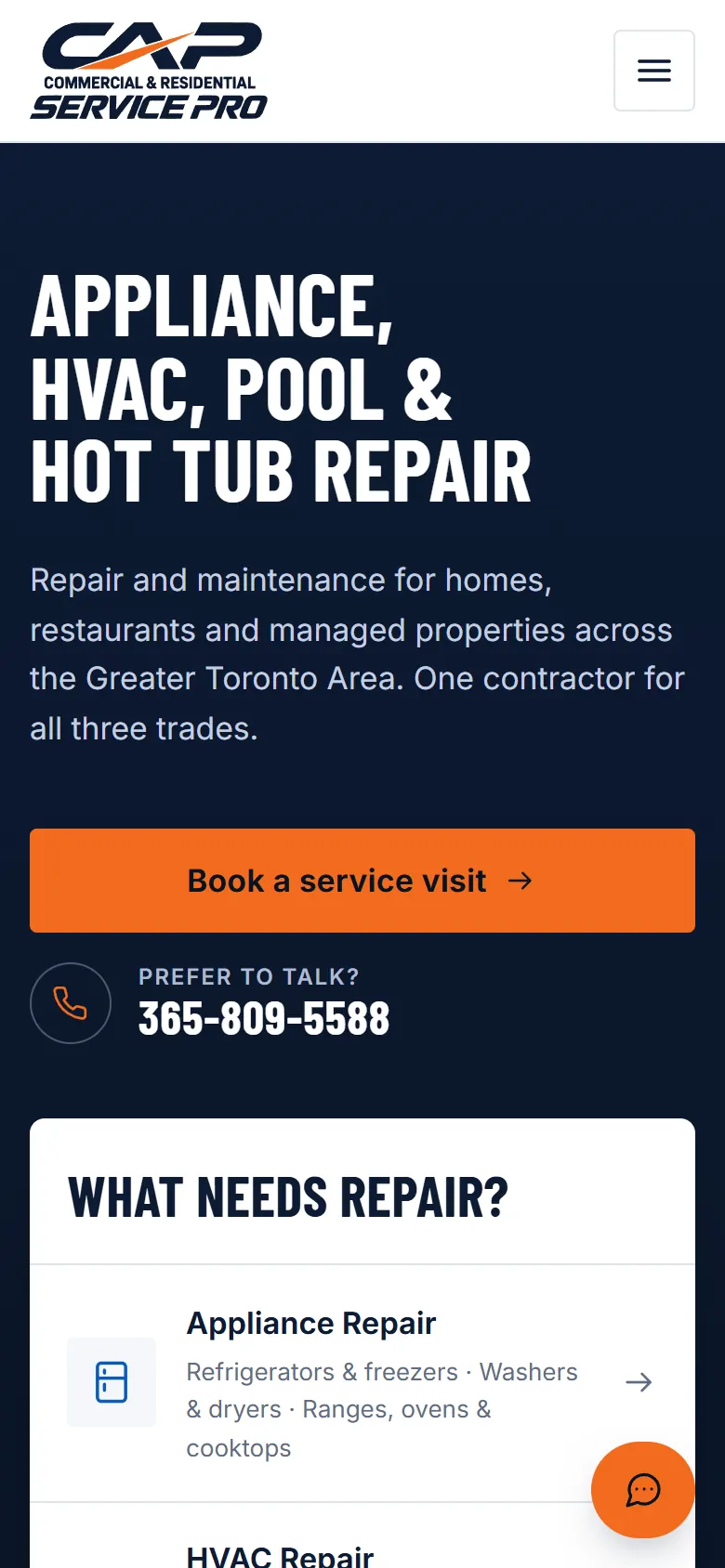
CAP Service Pro on a phone with the booking button and phone number.

The task

One contractor, three trades and customers who need help today.

CAP Service Pro repairs appliances, heating and cooling systems, and pool and hot tub equipment, for homeowners and for businesses. Most repair sites cover one trade and keep the price for the phone call. This one had to make all three easy to find, say what a visit costs before anyone books, and let people ask a question without waiting for a callback.

My role and scope

  • Structure and copy of the site with the owner
  • Design and development of every page
  • The request service and the AI chat with Slack handover
  • Server, domain, HTTPS and automatic deploys

Solution

01

Three trades, one clear path

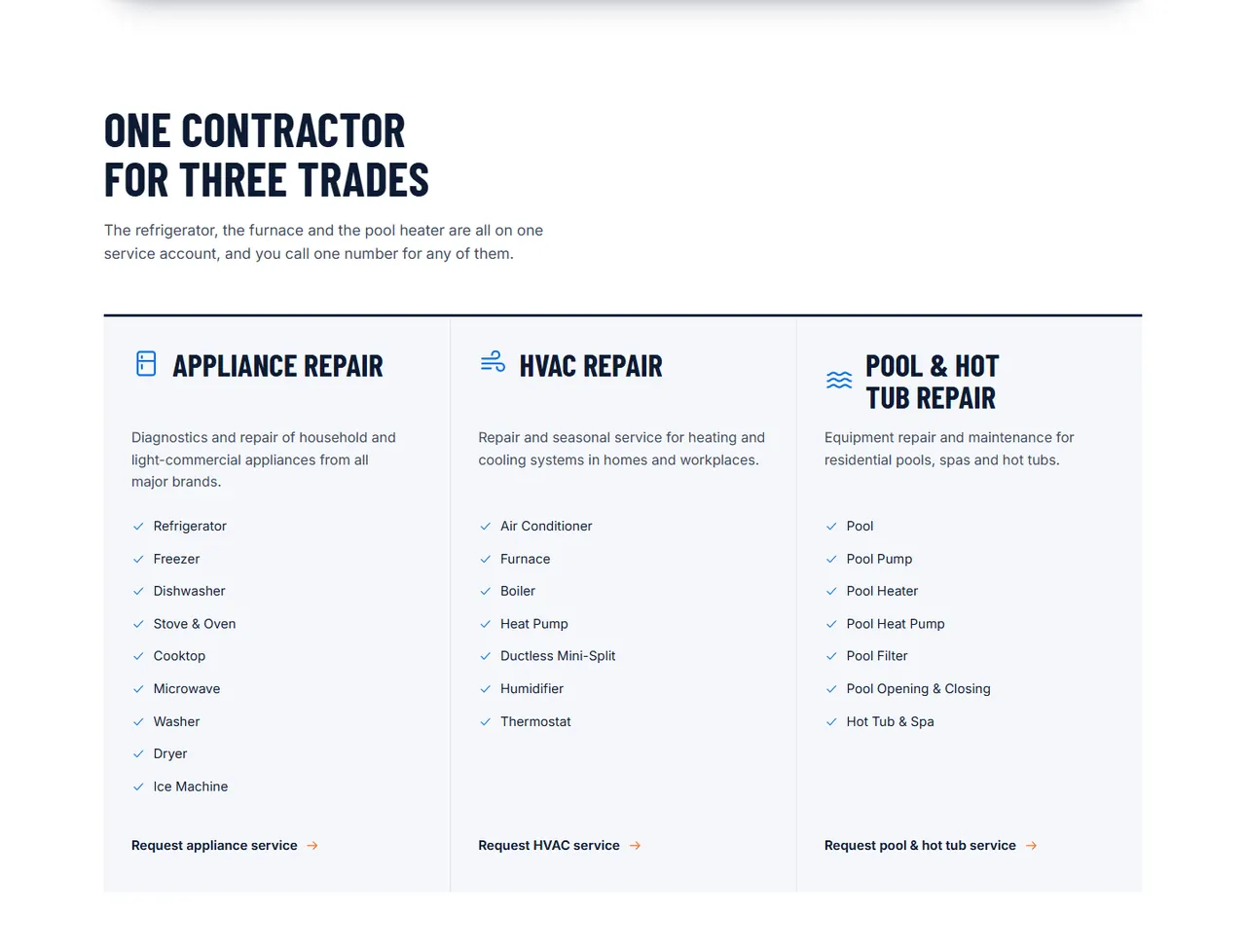
Each trade lists the equipment it covers and ends with its own request button. Businesses get a separate section with a quote request.

02

The price before the visit

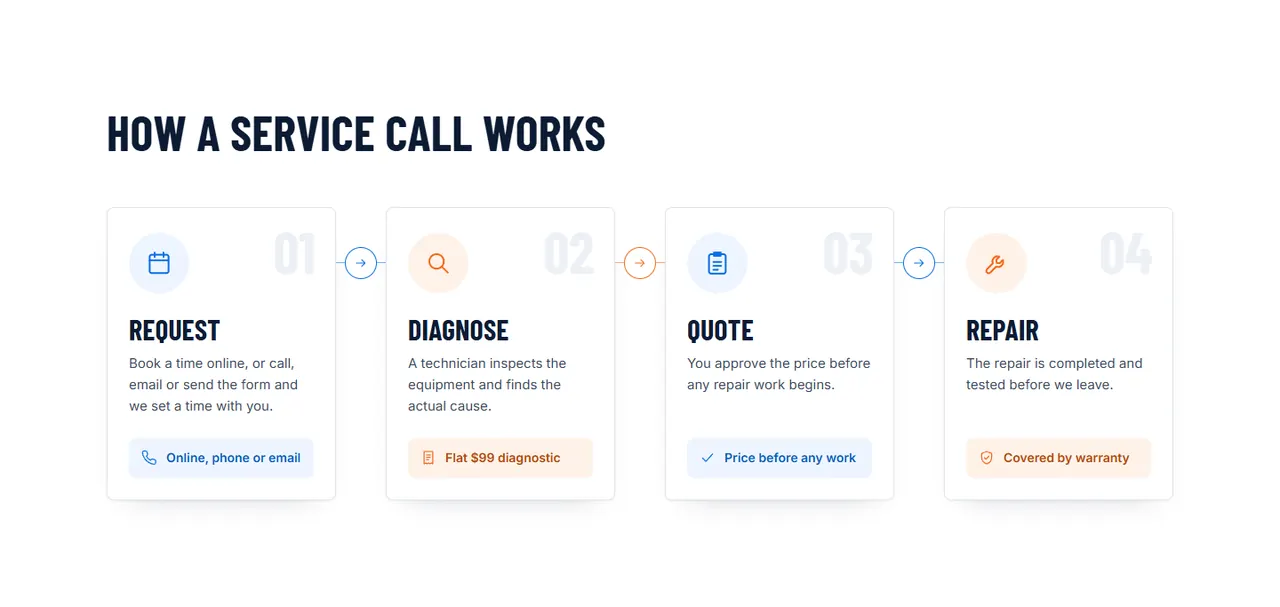
A flat $99 diagnostic, the warranty and a four-step process (request, diagnose, quote, repair) come before the form.

03

Book, write, call or chat

Online booking through Housecall Pro, a form with photos, a phone number one tap away and an AI assistant.

04

Service area at a glance

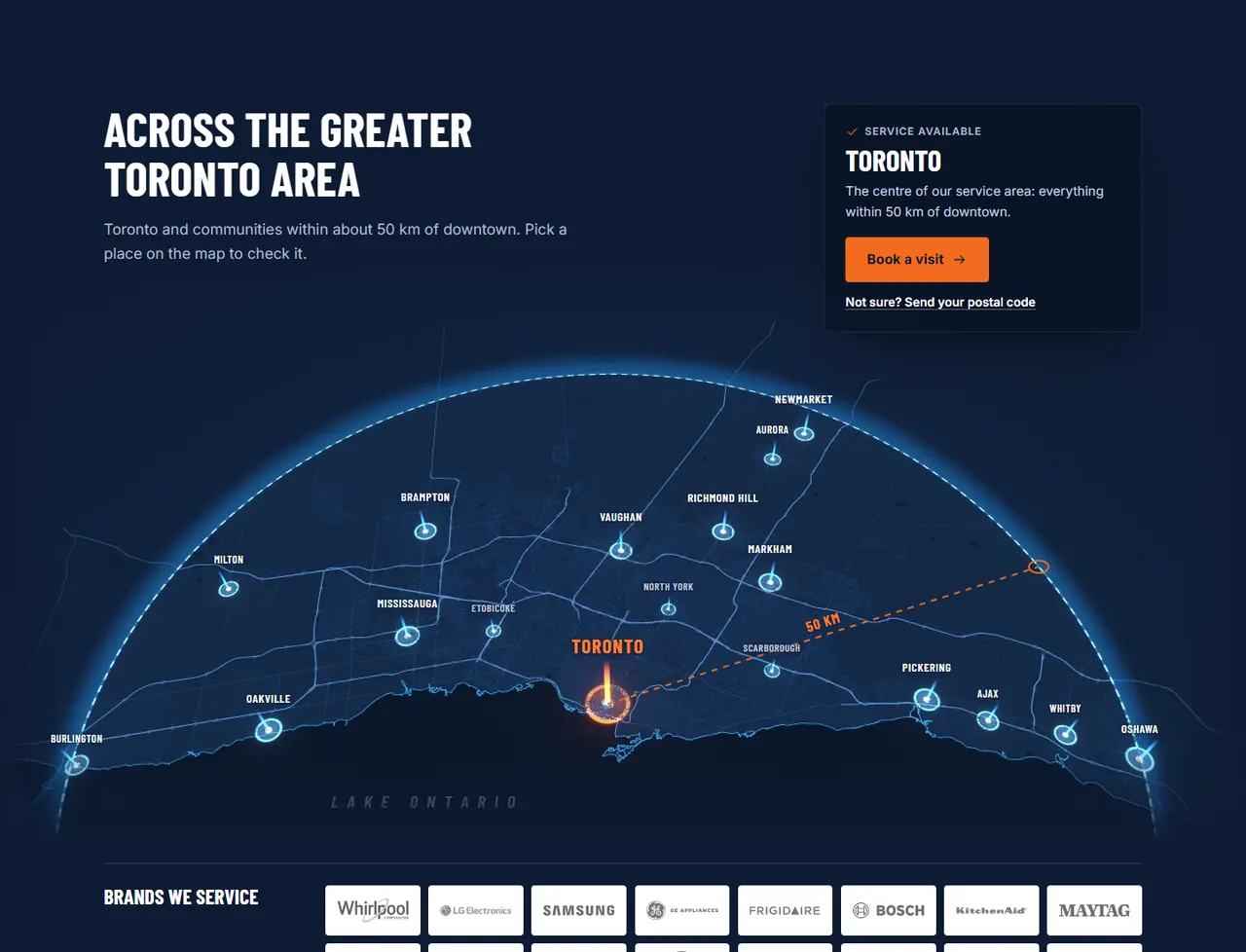
A map of the 50 km area around downtown Toronto with the 18 communities it covers.

Technology and tools

Astro
Static pages that load fast on a phone.
Node.js
Two small services: requests to the company inbox and the chat.
OpenAI API
Answers common questions in the chat.
Slack
The team sees every chat and can reply in it.
GitHub Actions + nginx
Every push deploys to the company server.

Non-standard solutions

  1. An AI chat with a human behind it

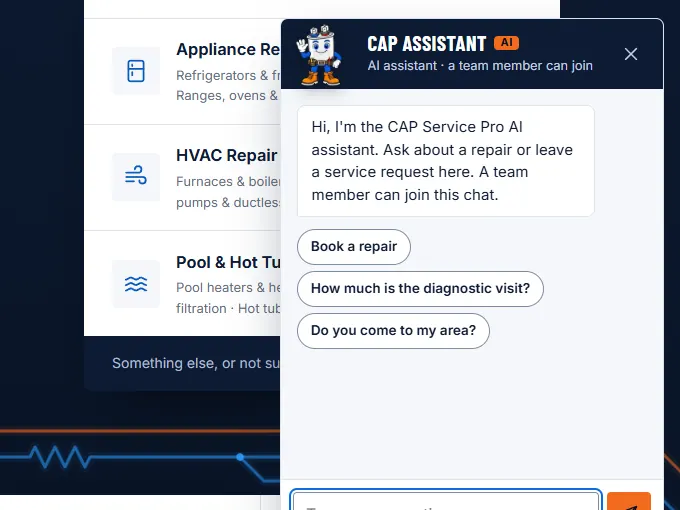
    The assistant answers common questions and takes requests. Every conversation also appears in a Slack channel, where a team member can step in and reply in the same chat.

  2. A form that works without scripts

    With JavaScript turned off, the form opens an email to the company and the phone number stays one tap away.
What works after launch

  • The site is live at capservicepro.com.
  • The booking button takes clients to Housecall Pro, where they book through the service the company already uses.
  • Form requests reach the company inbox; chats reach the team’s Slack.

How a request travels

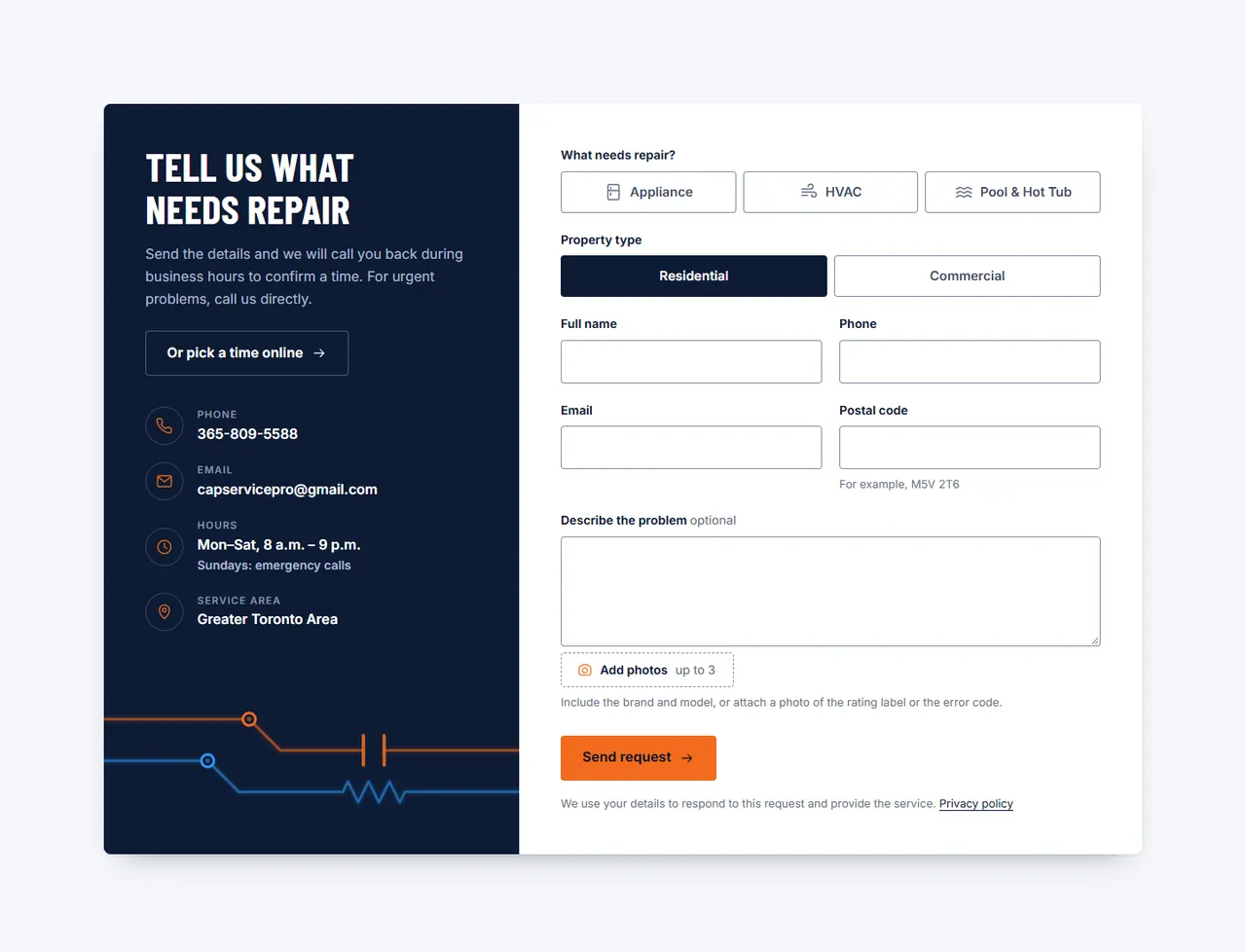
CAP Service Pro request form with equipment type, property type, contact fields and photo upload.
  1. 01

    The visitor picks the equipment and property type, leaves contacts and can attach photos.

  2. 02

    The site checks the fields before sending, so the request arrives complete.

  3. 03

    The request arrives in the company inbox, and the team replies to the client.
Screens

Services section with appliance, HVAC and pool and hot tub repair lists.
Three service lines on one page
Four steps of a service call: request, diagnose, quote, repair.
What happens after a request
Dark map of the Greater Toronto Area with the service radius and city names.
The 50 km service area
The CAP Assistant chat with its mascot, a greeting and quick questions about booking, the diagnostic price and the service area.
A chat that hands the conversation to staff
Service request form with equipment type, property type, contact fields and photo upload.
A request with photos of the equipment

Need something like this?

Tell me what you need and I will name a fixed price, with no obligation.

Discuss a project
Next projectReadovoReading and language-learning app