Back to projects
03 / PROJECTConcept / demo project

Forma

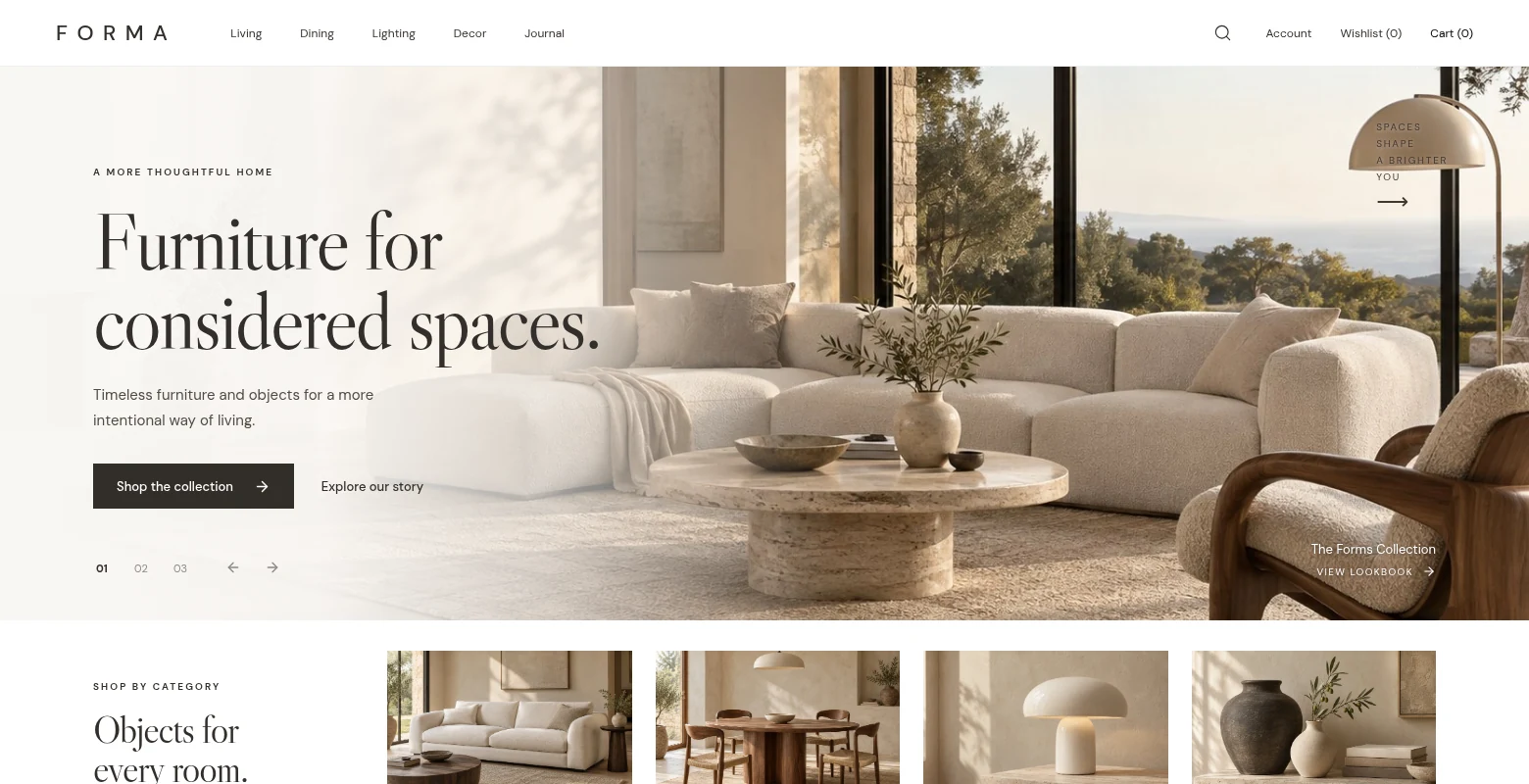
An editorial furniture storefront that takes a visitor from room-led discovery to a clearly labelled demo checkout.

Forma storefront with editorial furniture photography and room-led discovery.
THE PROBLEMWHY IT EXISTS

Make considered shopping easy to navigate.

Furniture is chosen with both mood and practical constraints in mind. A useful storefront has to show material and form, then help a visitor narrow the catalogue, inspect a piece and keep choices in view. Forma connects editorial presentation with the controls needed for that journey.

VISUAL SYSTEMDESIGN DIRECTION

Editorial calm with shopping clarity.

Interior photography and generous ivory space set the tone. Libre Caslon Display headlines add character, while DM Sans labels, a regular product grid and espresso controls keep prices, variants and actions legible. Warm stone and brown accents support the furniture rather than competing with it.

Ivory #FAF8F5
Stone #EEE9E2
Ink #332F2B
Accent #8E6B4D
THE SOLUTION04 PILLARS
01

Discover by room or intent

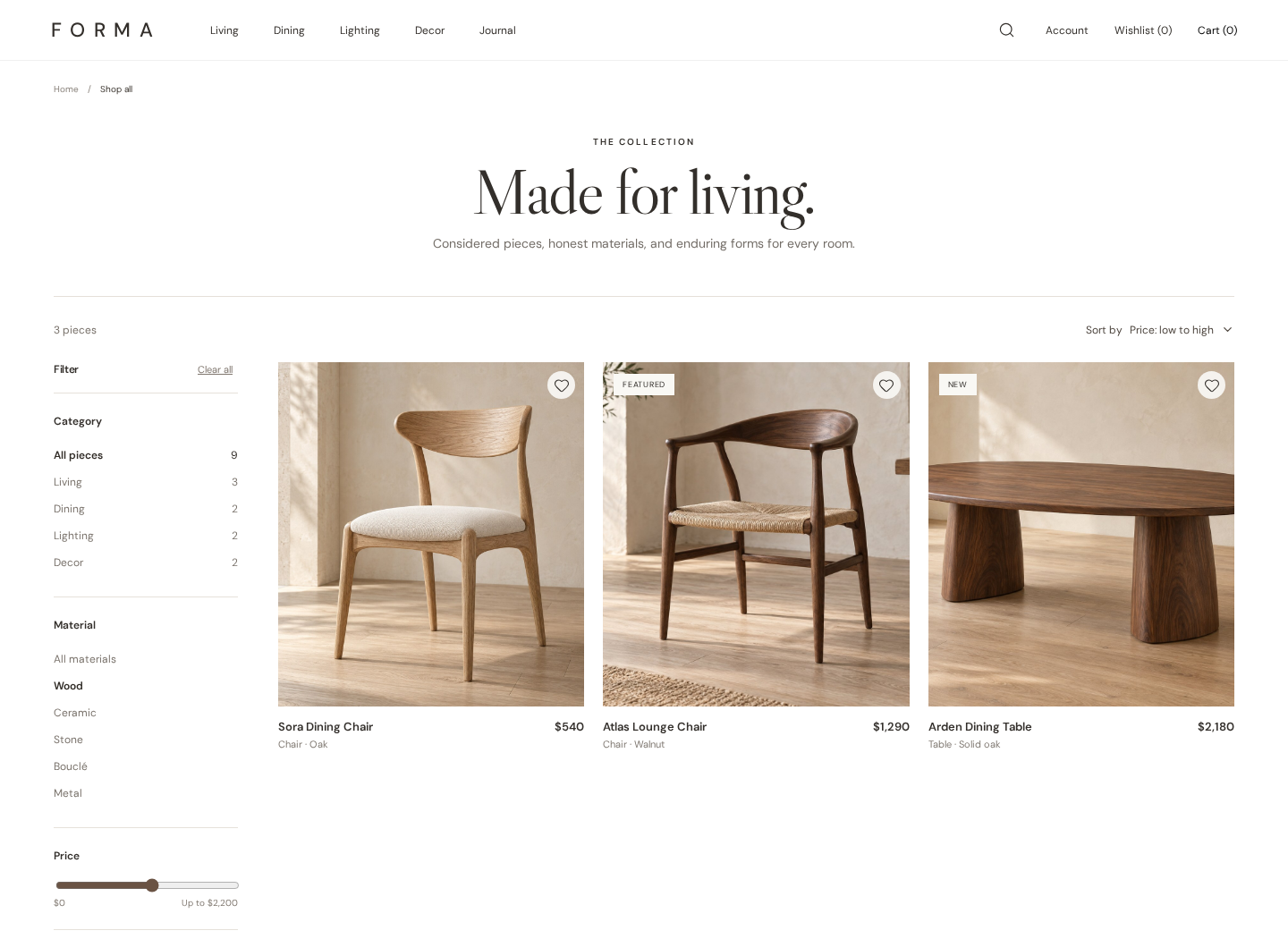
Category entry points and search suggestions lead into a shop view. Material, maximum price and sorting choices are stored in the URL with the category and query, so refresh and browser history preserve the selection; empty results offer a reset.

02

Decide with the details

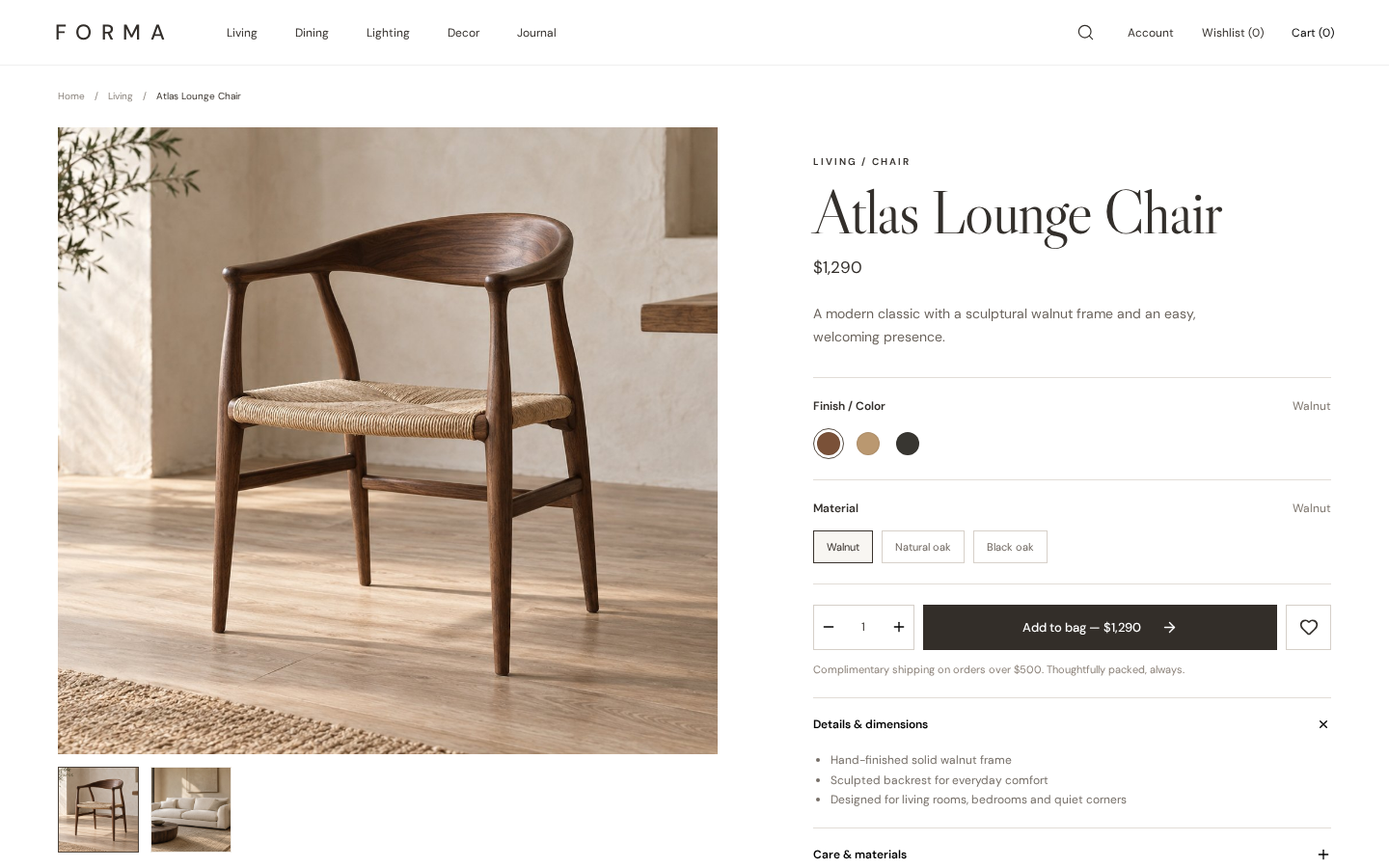
A product page brings together two images, finish choices on applicable pieces, quantity, specifications and related products. The hierarchy keeps material, price and add-to-bag action visible in the same decision flow.

03

Keep a shortlist in motion

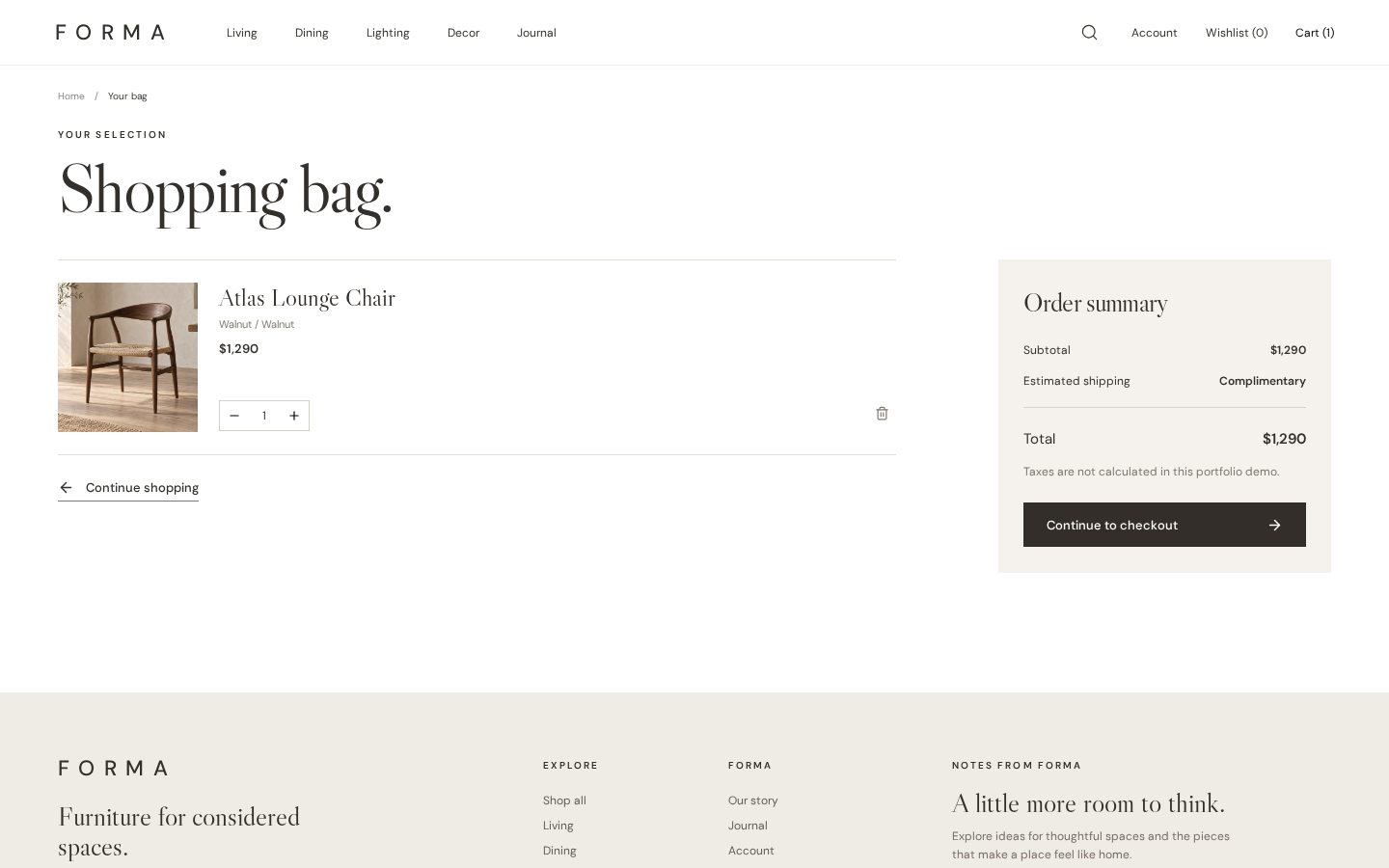
Wishlist and shopping bag work across product cards and detail pages. Their contents and bag quantities remain in this browser’s local storage after a refresh, without asking for an account.

04

Walk through checkout

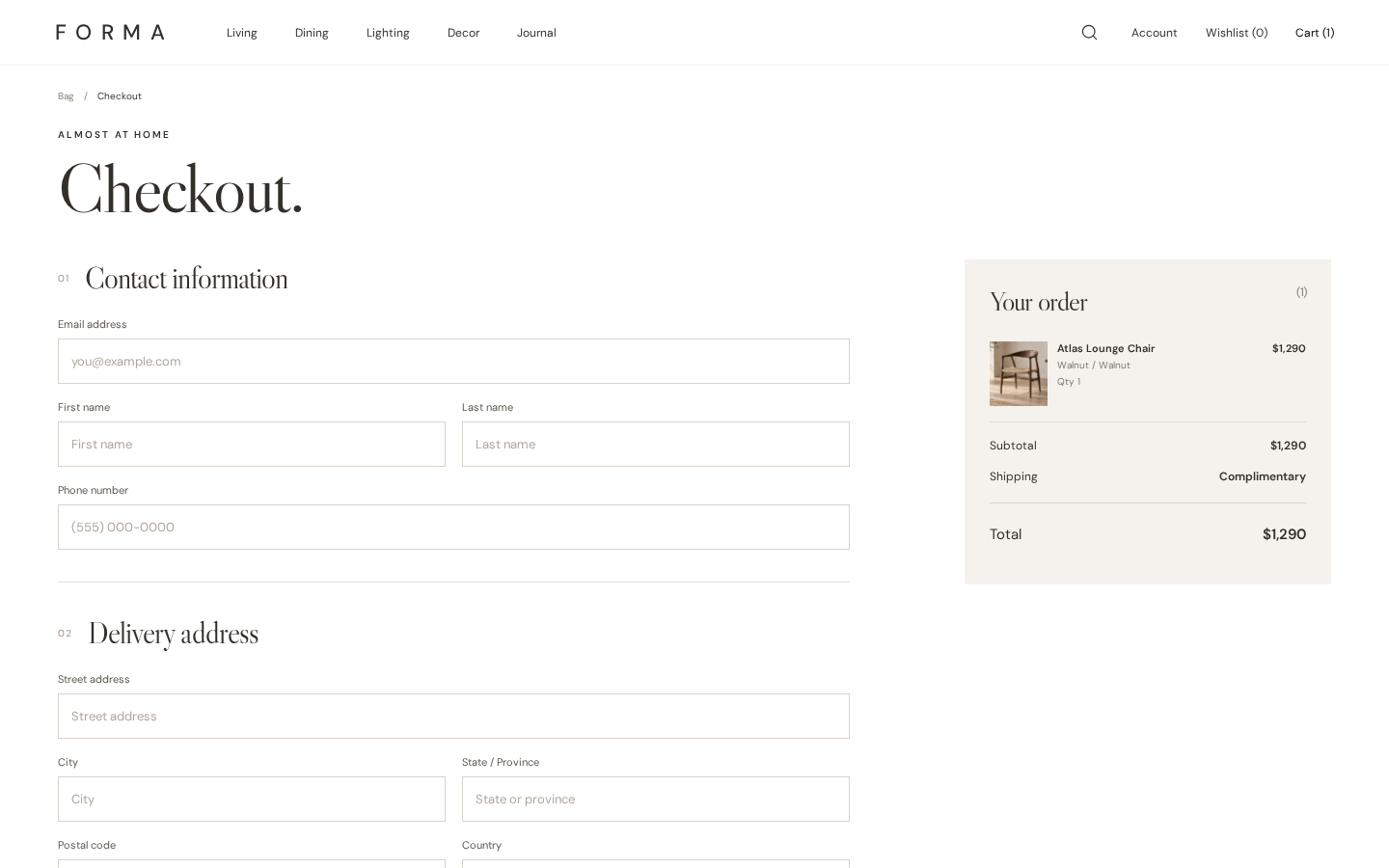
The bag leads to a checkout UI with delivery or pickup, contact fields, a price summary and payment-choice controls. Completion produces a demo order confirmation only; it does not charge a card or place an order.
USER JOURNEYHOW IT WORKS

From inspiration to a test purchase path.

The same product can be found, examined, saved and carried into checkout without losing shopping context.

  1. 01

    Browse

    Enter from a room collection or search, then refine the product grid by material, price and sort order.

  2. 02

    Inspect

    Open a product to review images, available finishes, details and nearby alternatives.

  3. 03

    Save or add

    Keep a piece in the local wishlist, or add a chosen quantity to the bag and adjust it there.

  4. 04

    Try checkout

    Review delivery or pickup and complete the simulated checkout, with a clearly non-production confirmation.

IN PRACTICESCREENSHOTS
Forma shop catalogue filtered to wood products and sorted by price.
Filters and sort preserved in the address
Forma Atlas Chair product page with imagery, finish selection and product details.
Product details support a considered choice
Forma shopping bag showing a saved product and editable quantity.
A bag that stays in this browser
Forma demo checkout with contact fields and an order summary.
A complete UI path to demo confirmation
LIVE DEMOINTERACTIVE

Try it in your browser.

Sample catalogue. Wishlist and bag stay in this browser; checkout is a simulation with no payment or submitted order. Open standalone ↗
UNDER THE HOODTECH

How it is built.

  • React + TypeScript + Vite
  • Hash-based routes for static hosting
  • URL-backed shop category, query, material, price and sort
  • Local product catalogue and image assets
  • Browser-local wishlist and shopping bag
  • Responsive product gallery and simulated checkout
HONEST LIMITSWHAT IT IS NOT

Where the demo stops.

Forma uses a sample catalogue, illustrative prices and editorial product content. Wishlist and bag are stored only in the current browser. There is no live inventory, customer account, payment processor, shipping integration or order backend. The checkout confirmation is a demonstration and does not create or fulfil a real purchase.

Open Forma Open standalone in a new tab ↗